Real 12-second 720P scene video. New orders also default to 720P HD; review or change your settings before checkout.
Recreate the viral TikTok flare gun standoff and emotional zombie love story match cut. Upload two portraits, choose a ready-made template, and make a 9:16 Reel or 16:9 video with your model's available settings. One-time $9.99, no subscription.
Quick Facts · AI Zombie Video Generator
ZombieTrend AI Zombie Video Generator creates a cinematic 720P HD video from two uploaded portraits in 5–15 minutes. It includes natural environmental audio, supports 9:16 vertical and 16:9 widescreen formats, and costs a flat $9.99 with zero recurring subscriptions.
Upload two photos in the studio below — no timeline editing.
Make your AI zombie video
Image to videoTwo photos · Ready-made story · No prompt writing needed
Your story in four simple steps
Pick a story
Add two photos
Review & pay $9.99
Download your video
Tap a scene to change your story prompt and sample preview. Nothing generates or charges yet.
Selected story: The last embrace
Seedance 2.0 MiniAvailable engine
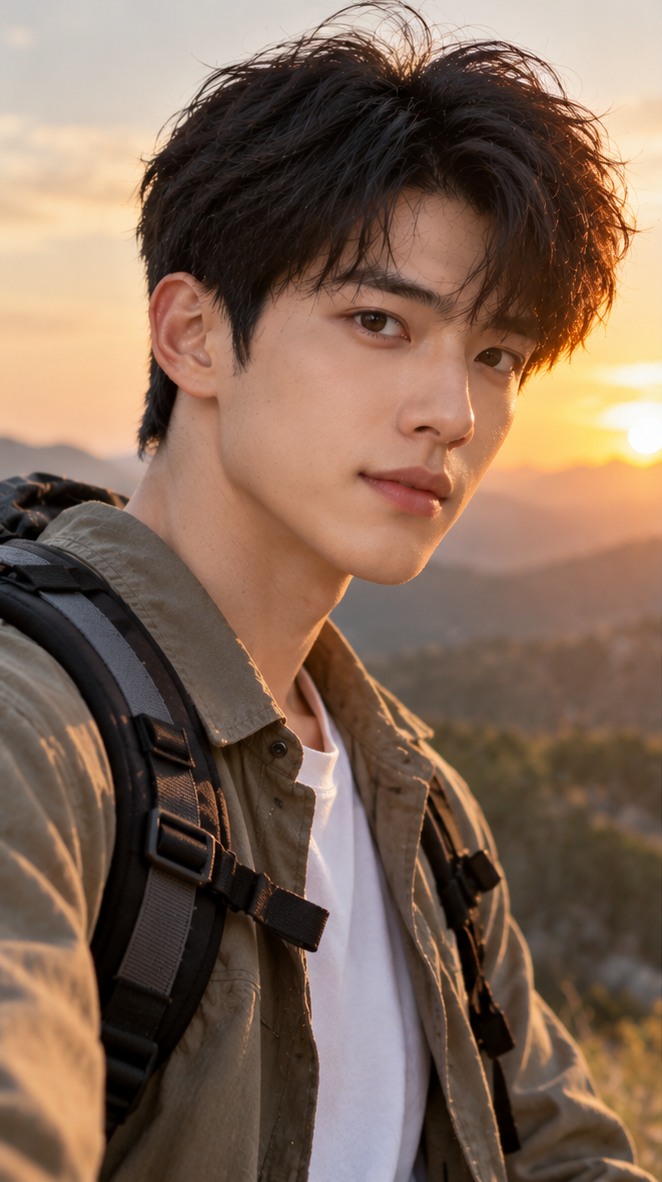
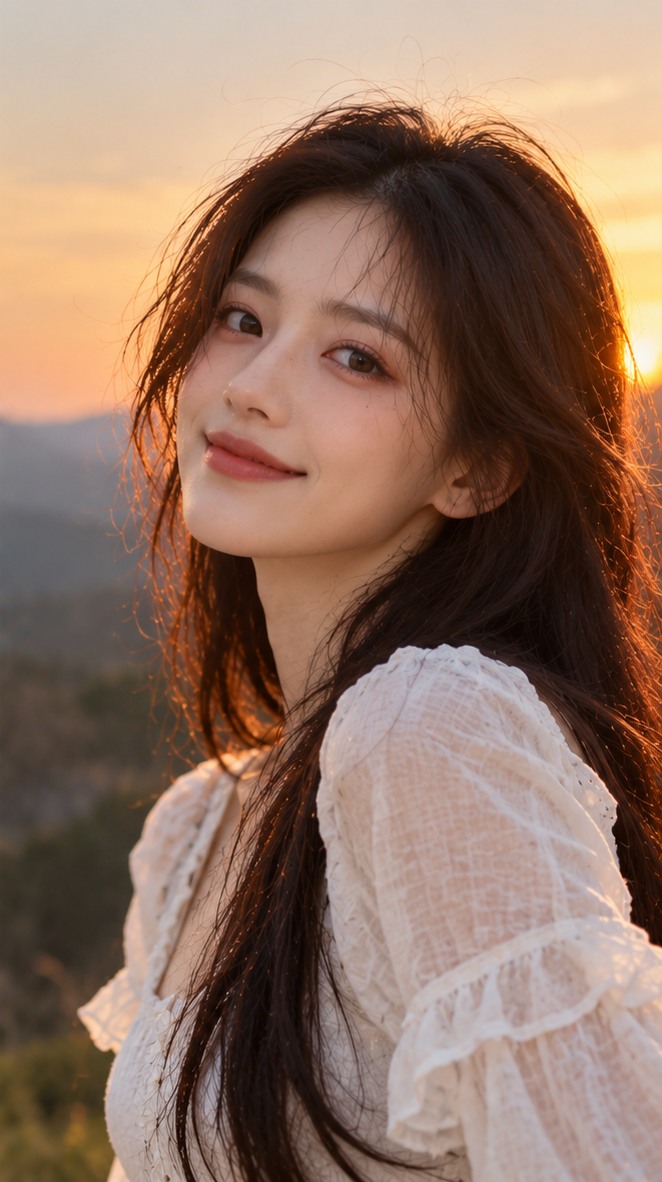
Photo 1 = the human survivor. Photo 2 = the infected loved one. Use one clear front-facing person per photo (JPG, PNG or WebP, max 10 MB).
1. The survivor
2. The one who turned
Only upload photos you have permission to use. Photos and videos are automatically purged after 14 days.
One personal detail makes the scene your own.
Optional — leave this blank. Your chosen template already has a complete prompt.
Defaults: 12s, 720P HD and 9:16, matching the resolution of our real showcase video. You can also select 480P.
782 / 2000
12s
12s12s
Review before you payReview scene & quality → Enter email → Secure Stripe checkout → Track and download from your order
Selected: 12s · 720P · 9:16
One video. One payment. Review before checkout.
Technical failure prevents delivery? Request a 100% refund for that video or a free retry. Refund protection
This button checks your photos and opens an order review; it does not charge you. One-time payment, no subscription. Rendering time varies.
Video preview
Example video, not your generated result
Example video · not your generated result
SELECTED SCENE
The last embrace
Selected
Keep it creative. No adult content or graphic violence.
THE STORY BEHIND THE TREND
What is the AI zombie trend?
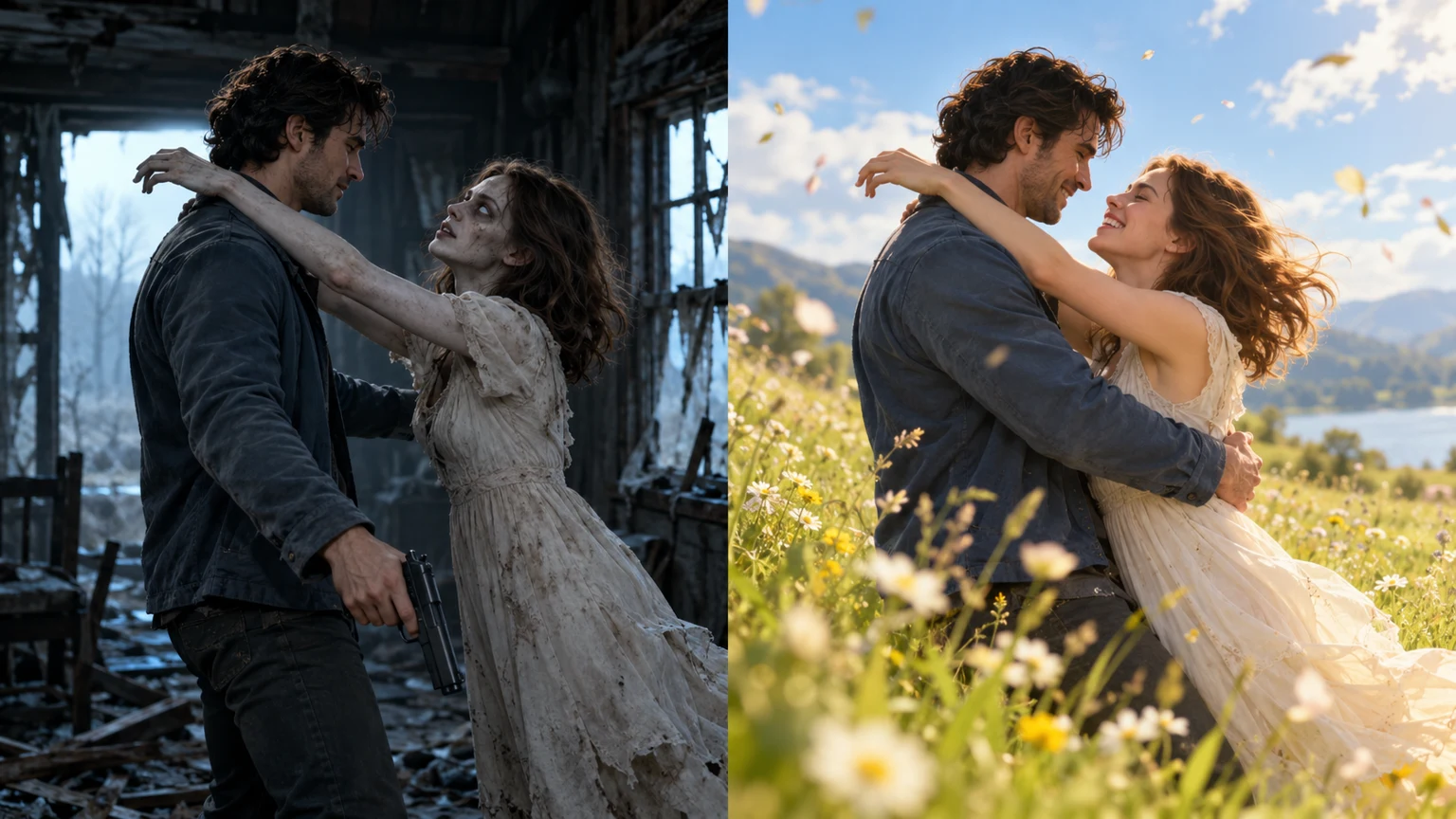
The AI zombie trend is a viral TikTok and Instagram Reels story built around an emotional twist. Someone you love has turned into a zombie, yet their face is still familiar. Rather than firing the flare gun, the survivor chooses to embrace them. The idea cuts from a dark apocalypse to a warm memory of the two together. ZombieTrend lets you recreate that story with two portraits, a ready-made prompt, and an editable video studio. Try different scenes, from a reunion with your partner to a best-friend or family story, without hand-editing a timeline.
From a zombie standoff to the hug that changes everything
Four-shot zombie stories: the infected partner appears, the survivor cannot fire, a happy memory flashes back, then the gun is lowered. New visitors start at 12 seconds for better pacing; shorter clips may compress or omit shots. Each scene prompt is editable before ordering.
01
The apocalypse · a familiar face
Imagine an abandoned cabin, broken windows, and dust in the cold light. The survivor sees the person they love standing across the room, now infected but still recognizable. A flare gun rises; neither person knows what happens next. The emotional contrast creates the hook for a TikTok zombie video.
02
The choice · love over fear
The survivor hesitates, lowers the flare gun, and opens their arms. The transformed partner steps closer. Instead of a jump scare, the moment becomes an embrace. In your prompt, you can change the location, relationship, actions, and mood while keeping the zombie reunion as the central idea.
03
The memory · a possible match cut
The imagined transition matches the motion of the hug to the same two people laughing in a sunlit meadow before the outbreak. A match cut is a filmmaking technique that connects two shots through similar movement or framing. AI results vary: a single short render may capture only part of this sequence, not a guaranteed multi-scene edit.
HOW IT WORKS
How to use the AI Zombie Video Generator
01
Add two clear photos
Use a well-lit portrait of each person. The first is the survivor; the second becomes the transformed companion.
02
Make the story yours
Pick a template, edit the prompt, and add a shared memory. Choose the format your engine supports.
03
Checkout, follow, download
Review your settings, pay securely, then follow your private order link for progress and the finished video.
BETTER INPUTS, STRONGER STORIES
Tips for a more recognizable AI zombie video
Your source photos and prompt matter as much as the model. These practical choices can improve clarity and continuity, although no image-to-video system can promise a perfect facial match in every frame.
01
Choose sharp, front-facing portraits
Upload one clear image per person in JPG, PNG, or WebP, up to 10 MB each. Keep both faces visible, ideally with natural light and without sunglasses, masks, or heavy filters. The first portrait represents the survivor; the second represents the person who turns into a zombie.
02
Keep the framing and action simple
Photos with similar head sizes and an uncluttered background help the model follow the two characters. In a five-second clip, focus on one memorable action—recognition, lowering the flare gun, or the hug—instead of demanding several complicated camera moves and scene changes.
03
Choose a format that fits your platform
Use a 9:16 vertical frame for TikTok, Instagram Reels, and YouTube Shorts, or 16:9 for a wider cinematic composition. Available duration and resolution depend on the selected generation engine; check the settings beside the upload form. Favor a non-graphic zombie look for a more shareable emotional story.
Real Seedance-generated scene · Full video
Real AI-Generated Scene Video · 12s / 720P
This 12-second 720P scene was genuinely generated with Seedance using two reference photos and our first story prompt, then manually uploaded as a showcase. It is a finished video—not a mockup or a customer paid-order record.
These are real generated showcase clips, not customer purchase or delivery records. Your own video will be created separately from your photos and story, so the result may vary.
ANSWERS
Zombie video questions, answered
Can I edit the story?
Yes. Each template supplies an editable prompt. Your prompt and personal details are sent with the order to the generation engine.
Is generation free?
Browsing templates is free. A new video costs $9.99 USD through the existing checkout. No payment runs when you preview a sample.
Which settings can I choose?
This is an image-to-video tool: upload two portraits and edit the storyline text. Pure text-to-video is not available. Seedance 2.0 Mini supports 4–15 seconds, 480p or 720p, and portrait 9:16 or landscape 16:9.
Where can I find my video?
Open Generation history in this browser, or use the private order link. You can also provide an email at checkout. Keep your private link safe.
What kind of photos work best for the AI zombie trend?
Use two separate, clearly lit portraits with one visible face in each. JPG, PNG, and WebP files up to 10 MB per image are supported. Photo 1 plays the human survivor; Photo 2 plays the transformed partner. Avoid face coverings and crowded group pictures.
Will my face stay the same after the zombie transformation?
The generator uses the uploaded photos as references, and a clear source image helps with likeness. But AI video can change facial details, hands, or clothing between frames. We do not promise pixel-perfect identity preservation; review the real sample before ordering.
Can I create a 25-second zombie love story?
Each order creates one 4–15-second video. The default is 12 seconds, 720P HD and vertical 9:16; you can also choose 480P. Watch our real 12-second 720P showcase scene before ordering.
Can I post the result to TikTok or Instagram Reels?
Choose 9:16 when available for a vertical, mobile-friendly video. You can download your completed clip from its private order page. You are responsible for checking the platform's rules and confirming that you have permission to use any uploaded faces or images.
What if my paid video fails to generate?
Open your private order page to check the status. If a technical failure prevents delivery, contact support@zombietrend.art and consult our Refund Policy for the applicable remedy. A failed generation should not be confused with a preview or an unfinished queue.
Are my uploaded photos private?
The order and download link are private to anyone holding the link, so keep it safe. We describe our media-retention period and handling practices in the Privacy Policy. Only upload images you own or have permission to use.
Pricing
Transparent AI zombie video pricing
Create one AI zombie video for $9.99, paid once. No subscription or timeline editing.